Please visit https://github.com/simdutf/simdutf for source code and issue tracking!
Most modern software relies on the Unicode standard. In memory, Unicode strings are represented using either UTF-8 or UTF-16. The UTF-8 format is the de facto standard on the web (JSON, HTML, etc.) and it has been adopted as the default in many popular programming languages (Go, Zig, Rust, Swift, etc.). The UTF-16 format is standard in Java, C# and in many Windows technologies.
Not all sequences of bytes are valid Unicode strings. It is unsafe to use Unicode strings in UTF-8 and UTF-16LE without first validating them. Furthermore, we often need to convert strings from one encoding to another, by a process called transcoding. For security purposes, such transcoding should be validating: it should refuse to transcode incorrect strings.
This library provide fast Unicode functions such as
- ASCII, UTF-8, UTF-16LE/BE and UTF-32 validation, with and without error identification,
- Latin1 to UTF-8 transcoding,
- Latin1 to UTF-16LE/BE transcoding
- Latin1 to UTF-32 transcoding
- UTF-8 to Latin1 transcoding, with or without validation, with and without error identification,
- UTF-8 to UTF-16LE/BE transcoding, with or without validation, with and without error identification,
- UTF-8 to UTF-32 transcoding, with or without validation, with and without error identification,
- UTF-16LE/BE to Latin1 transcoding, with or without validation, with and without error identification,
- UTF-16LE/BE to UTF-8 transcoding, with or without validation, with and without error identification,
- UTF-32 to Latin1 transcoding, with or without validation, with and without error identification,
- UTF-32 to UTF-8 transcoding, with or without validation, with and without error identification,
- UTF-32 to UTF-16LE/BE transcoding, with or without validation, with and without error identification,
- UTF-16LE/BE to UTF-32 transcoding, with or without validation, with and without error identification,
- From an UTF-8 string, compute the size of the Latin1 equivalent string,
- From an UTF-8 string, compute the size of the UTF-16 equivalent string,
- From an UTF-8 string, compute the size of the UTF-32 equivalent string (equivalent to UTF-8 character counting),
- From an UTF-16LE/BE string, compute the size of the Latin1 equivalent string,
- From an UTF-16LE/BE string, compute the size of the UTF-8 equivalent string,
- From an UTF-32 string, compute the size of the UTF-8 or UTF-16LE equivalent string,
- From an UTF-16LE/BE string, compute the size of the UTF-32 equivalent string (equivalent to UTF-16 character counting),
- UTF-8 and UTF-16LE/BE character counting,
- UTF-16 endianness change (UTF16-LE/BE to UTF-16-BE/LE),
- WHATWG forgiving-base64 (with or without URL encoding) to binary,
- Binary to base64 (with or without URL encoding).
The functions are accelerated using SIMD instructions (e.g., ARM NEON, SSE, AVX, AVX-512, RISC-V Vector Extension, LoongSon, POWER, etc.). When your strings contain hundreds of characters, we can often transcode them at speeds exceeding a billion characters per second. You should expect high speeds not only with English strings (ASCII) but also Chinese, Japanese, Arabic, and so forth. We handle the full character range (including, for example, emojis).
The library compiles down to a small library of a few hundred kilobytes. Our functions are exception-free and non allocating. We have extensive tests and extensive benchmarks.
We have exhaustive tests, including an elaborate fuzzing setup. The library has been used in production systems for years.
If using C++23 or newer, there is experimental support for using the library at compile time (constexpr).
Real-World Usage
The simdutf library is used by:
- Node.js (19.4.0 or better, 20.0 or better, 18.15 or better), a standard JavaScript runtime environment,
- Bun, a fast JavaScript runtime environment,
- WebKit, the Web engine behind the Safari browser (iOS, macOS),
- Chromium, the Web engine behind the Google Chrome, Microsoft Edge and Brave,
- StarRocks, an Open-Source, High-Performance Analytical Database,
- Oracle GraalVM JavaScript, a JavaScript implementation by Oracle,
- Couchbase, a popular database system,
- Ladybird, an independent Web browser,
- Cloudflare workerd, a JavaScript/Wasm Runtime,
- haskell/text, a library for fast operations over Unicode text,
- klogg, a Really fast log explorer,
- Pixie, observability tool for Kubernetes applications,
- fluentbit, Fast and Lightweight Logs, Metrics and Traces processor for Linux, BSD, OSX and Windows,
- ghostty, Fast terminal emulator,
- uWebSockets, web server for the most demanding of applications,
- vte (0.81.0 or better), a virtual terminal widget for GTK applications,
- Microsoft products: Edge, Teams, VS Code, and the SQL Server Python driver mssql-python,
- Deno, a JavaScript, TypeScript and WebAssembly runtime,
- ClickHouse, a real-time analytics database management system,
- Apache Doris, a real-time analytics database,
- Apache Impala, a distributed SQL query engine for Apache Hadoop,
- SereneDB, a real-time search and analytics database,
- Cocos, a cross-platform game engine,
- Tencent KuiklyUI, a Kotlin Multiplatform UI framework,
- Samsung Escargot, a lightweight JavaScript engine,
- rspamd, a fast spam filtering system,
- Jami and OpenDHT, a peer-to-peer communication platform and its distributed hash table,
- Rio, a hardware-accelerated GPU terminal emulator,
- Geode, a Geometry Dash modding framework,
- UZDoom, a source port for Doom engine games,
- nodejs-mobile, Node.js for Android and iOS,
- Wasmer Edge.js, a JavaScript runtime for edge computing,
- react-native-quick-crypto and react-native-nitro-fetch, React Native libraries by Margelo,
- react-native-quick-base64, a fast base64 module for React Native,
- turbodbc, a Python module to access relational databases via ODBC,
- Prom++, a high-performance fork of Prometheus,
- fastgltf, a fast glTF 2.0 library,
- AUI, a declarative UI toolkit for C++20,
- PhotoshopAPI, a library to read and write Photoshop files,
- zsv, a fast CSV parser and toolkit,
- MoonBit, the build system and package manager of the MoonBit language.
How fast is it?
The adoption of the simdutf library by the popular Node.js JavaScript runtime lead to a significant performance gain:
Decoding and Encoding becomes considerably faster than in Node.js 18. With the addition of simdutf for UTF-8 parsing the observed benchmark, results improved by 364% (an extremely impressive leap) when decoding in comparison to Node.js 16. (State of Node.js Performance 2023)

Over a wide range of realistic data sources, the simdutf library transcodes a billion characters per second or more. Our approach can be 3 to 10 times faster than the popular ICU library on difficult (non-ASCII) strings. We can be 20x faster than ICU when processing easy strings (ASCII). Our good results apply to both recent x64 and ARM processors.
To illustrate, we present a benchmark result with values are in billions of characters processed by second. Consider the following figures.


If your system supports AVX-512, the simdutf library can provide very high performance. We get the following speed results on an Ice Lake Intel processor (both AVX2 and AVX-512) are simdutf kernels:

Datasets: https://github.com/lemire/unicode_lipsum
Please refer to our benchmarking tool for a proper interpretation of the numbers. Our results are reproducible.
Requirements
- C++17 compatible compiler. We support LLVM clang, GCC, Visual Studio. Be aware that GCC under Windows is buggy and thus unsupported.
- For high speed, you should have a recent 64-bit system (e.g., ARM, x64, RISC-V with vector extensions, Loongson, POWER). On Loongson processors, LASX runtime dispatching is only enabled on GCC 15+ and LLVM, not on older versions of GCC.
- If you rely on CMake, you should use a recent CMake (at least 3.18); otherwise you may use the single header version. The library is also available from Microsoft's vcpkg, from conan, from FreeBSD's port, from brew, and many other systems.
- AVX-512 support require a processor with AVX512-VBMI2 (Ice Lake or better, AMD Zen 4 or better) and a recent compiler (GCC 8 or better, Visual Studio 2022 or better, LLVM clang 6 or better). You need a correspondingly recent assembler such as gas (2.30+) or nasm (2.14+): recent compilers usually come with recent assemblers. If you mix a recent compiler with an incompatible/old assembler (e.g., when using a recent compiler with an old Linux distribution), you may get errors at build time because the compiler produces instructions that the assembler does not recognize: you should update your assembler to match your compiler (e.g., upgrade binutils to version 2.30 or better under Linux) or use an older compiler matching the capabilities of your assembler.
- To benefit from RISC-V Vector Extensions on RISC-V systems, you should compile specifically for the desired architecture. E.g., add -march=rv64gcv as a compiler flag when using a version of GCC or LLVM which supports these extensions (such as GCC 14 or better). The command CXXFLAGS=-march=rv64gcv cmake -B build may suffice.
- We recommend that Visual Studio users compile with LLVM (ClangCL). Using LLVM as a front-end inside Visual Studio provides faster release builds and better runtime performance.
Usage (Usage)
We made a video to help you get started with the library.
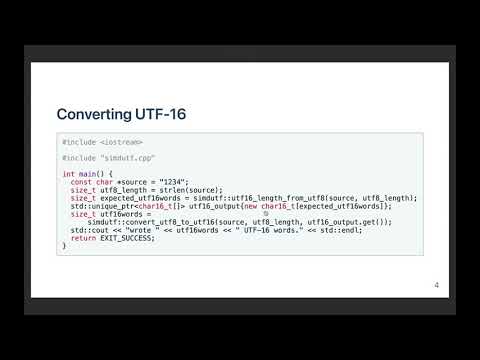
Quick Start
Linux or macOS users might follow the following instructions if they have a recent C++ compiler installed and the standard utilities (wget, unzip, etc.)
Pull the library in a directory
wget https://github.com/simdutf/simdutf/releases/download/v9.3.3/singleheader.zip
unzip singleheader.zip
You can replace wget by curl -OL https://... if you prefer.
Compile
c++ -std=c++17 -o amalgamation_demo amalgamation_demo.cpp
./amalgamation_demo
valid UTF-8
wrote 4 UTF-16LE words.
valid UTF-16LE
wrote 4 UTF-8 words.
1234
perfect round trip
We strongly discourage working from our main git branch. You should never use our main branch in production. Use our releases. They are tagged as vX.Y.Z.
Usage (CMake)
cmake -B build
cmake --build build
cd build
ctest .
Visual Studio users must specify whether they want to build the Release or Debug version.
To use the library as a CMake dependency in your project, please see tests/installation_tests/from_fetch for an example.
You may also use a package manager. E.g., we have a complete example using vcpkg.
Single-header version
You can create a single-header version of the library where all of the code is put into two files (simdutf.h and simdutf.cpp). We publish a zip archive containing these files, e.g., see https://github.com/simdutf/simdutf/releases/download/v9.3.3/singleheader.zip
You may generate it on your own using a Python script.
python3 ./singleheader/amalgamate.py
We require Python 3 or better.
Under Linux and macOS, you may test it as follows:
cd singleheader
c++ -o amalgamation_demo amalgamation_demo.cpp -std=c++17
./amalgamation_demo
Single-header version with limited features
When creating a single-header version, it is possible to limit which features are enabled. Then the API of library is limited too and the amalgamated sources do not include code related to disabled features.
The script singleheader/amalgamate.py accepts the following parameters:
- --with-utf8 - procedures related only to UTF-8 encoding (like string validation);
- --with-utf16 - likewise: only UTF-16 encoding;
- --with-utf32 - likewise: only UTF-32 encoding;
- --with-ascii - procedures related to ASCII encoding;
- --with-latin1 - convert between selected UTF encodings and Latin1;
- --with-base64 - procedures related to Base64 encoding, includes 'find';
- --with-detect-enc - enable detect encoding.
If we need conversion between different encodings, like UTF-8 and UTF-32, then these two features have to be enabled.
The amalgamated sources set to 1 the following preprocessor defines:
- SIMDUTF_FEATURE_UTF8,
- SIMDUTF_FEATURE_UTF16,
- SIMDUTF_FEATURE_UTF32,
- SIMDUTF_FEATURE_ASCII,
- SIMDUTF_FEATURE_LATIN1,
- SIMDUTF_FEATURE_BASE64,
- SIMDUTF_FEATURE_DETECT_ENCODING.
Thus, when it is needed to make sure the correct set of features are enabled, we may test it using preprocessor:
#if SIMDUTF_FEATURE_UTF16 || SIMDUTF_FEATURE_UTF32
#error "Please amalagamate simdutf without UTF-16 and UTF-32"
#endif
Packages

Example
Using the single-header version, you could compile the following program.
#include <iostream>
#include <memory>
#include <cstdlib>
#include "simdutf.cpp"
#include "simdutf.h"
int main(int argc, char *argv[]) {
const char *source = "1234";
const size_t source_length = 4;
if (validutf8) {
std::cout << "Input is valid UTF-8" << std::endl;
} else {
std::cerr << "Input is invalid UTF-8" << std::endl;
return EXIT_FAILURE;
}
size_t expected_utf16words =
std::unique_ptr<char16_t[]> utf16_output{new char16_t[expected_utf16words]};
source, source_length, utf16_output.get());
std::cout << "Converted to UTF-16LE: wrote " << utf16words
<< " code units (" << utf16words * sizeof(char16_t)
<< " bytes)" << std::endl;
if (validutf16) {
std::cout << "Converted UTF-16LE is valid" << std::endl;
} else {
std::cerr << "Converted UTF-16LE is invalid" << std::endl;
return EXIT_FAILURE;
}
size_t expected_utf8bytes =
std::unique_ptr<char[]> utf8_output{new char[expected_utf8bytes]};
utf16_output.get(), utf16words, utf8_output.get());
std::cout << "Converted back to UTF-8: wrote " << utf8bytes
<< " bytes" << std::endl;
std::string final_string(utf8_output.get(), utf8bytes);
std::cout << "Final string: \"" << final_string << "\"" << std::endl;
if (final_string != source) {
std::cerr << "Round-trip conversion failed!" << std::endl;
return EXIT_FAILURE;
} else {
std::cout << "Perfect round trip! Original string recovered successfully."
<< std::endl;
}
return EXIT_SUCCESS;
}
simdutf_warn_unused bool validate_utf16le(const char16_t *buf, size_t len) noexcept
Validate the UTF-16LE string.
simdutf_warn_unused size_t convert_utf16le_to_utf8(const char16_t *input, size_t length, char *utf8_buffer) noexcept
Convert possibly broken UTF-16LE string into UTF-8 string.
simdutf_warn_unused size_t convert_utf8_to_utf16le(const char *input, size_t length, char16_t *utf16_output) noexcept
Convert possibly broken UTF-8 string into UTF-16LE string.
simdutf_warn_unused bool validate_utf8(const char *buf, size_t len) noexcept
Validate the UTF-8 string.
simdutf_warn_unused size_t utf8_length_from_utf16le(const char16_t *input, size_t length) noexcept
Compute the number of bytes that this UTF-16LE string would require in UTF-8 format.
simdutf_warn_unused size_t utf16_length_from_utf8(const char *input, size_t length) noexcept
Compute the number of 2-byte code units that this UTF-8 string would require in UTF-16LE format.
API
Our API is made of a few non-allocating functions. They typically take a pointer and a length as a parameter, and they sometimes take a pointer to an output buffer. Users are responsible for memory allocation.
We use three types of data pointer types:
- char* for UTF-8 or indeterminate Unicode formats,
- char16_t* for UTF-16 (both UTF-16LE and UTF-16BE),
- char32_t* for UTF-32. UTF-32 is primarily used for internal use, not data interchange. Thus, unless otherwise stated, char32_t refers to the native type and is typically UTF-32LE since virtually all systems are little-endian today. In generic terms, we refer to char, char16_t, and char32_t as code units. A character may use several code units: between 1 and 4 code units in UTF-8, and between 1 and 2 code units in UTF-16LE and UTF-16BE.
Our functions and declarations are all in the simdutf namespace. Thus you should prefix our functions and types with simdutf:: as required.
If using C++20, all functions which take a pointer and a size (which is almost all of them) also have a span overload. Here is an example:
std::vector<char> data{1, 2, 3, 4, 5};
simdutf_warn_unused simdutf::encoding_type autodetect_encoding(const char *input, size_t length) noexcept
Autodetect the encoding of the input, a single encoding is recommended.
The span overloads use std::span for UTF-16 and UTF-32. For latin1, UTF-8, "binary" (used by the base64 functions) anything that has a .size() and .data() that returns a pointer to a byte-like type will be accepted as a span. This makes it possible to directly pass std::string, std::string_view, std::vector, std::array and std::span to the functions. The reason for allowing all byte-like types in the api (as opposed to only std::span<char>) is to make it easy to interface with whatever data the user may have, without having to resort to casting.
We have basic functions to detect the type of an input. They return an integer defined by the following enum.
enum encoding_type {
UTF8 = 1,
UTF16_LE = 2,
UTF16_BE = 4,
UTF32_LE = 8,
UTF32_BE = 16,
unspecified = 0
};
simdutf_warn_unused simdutf::encoding_type autodetect_encoding(const char *input, size_t length) noexcept;
simdutf_warn_unused int detect_encodings(const char *input, size_t length) noexcept;
For validation and transcoding, we also provide functions that will stop on error and return a result struct which is a pair of two fields:
struct result {
error_code error;
size_t count;
};
On error, the error field indicates the type of error encountered and the count field indicates the position of the error in the input in code units or the number of characters validated/written. We report six types of errors related to Latin1, UTF-8, UTF-16 and UTF-32 encodings:
enum error_code {
SUCCESS = 0,
HEADER_BITS,
TOO_SHORT,
TOO_LONG,
OVERLONG,
TOO_LARGE,
SURROGATE,
INVALID_BASE64_CHARACTER,
BASE64_INPUT_REMAINDER,
BASE64_EXTRA_BITS,
OUTPUT_BUFFER_TOO_SMALL,
OTHER
};
On success, the error field is set to SUCCESS and the position field indicates either the number of code units validated for validation functions or the number of written code units in the output format for transcoding functions. In ASCII, Latin1 and UTF-8, code units occupy 8 bits (they are bytes); in UTF-16LE and UTF-16BE, code units occupy 16 bits; in UTF-32, code units occupy 32 bits.
Generally speaking, functions that report errors always stop soon after an error is encountered and might therefore be faster on inputs where an error occurs early in the input. The functions that return a boolean indicating whether or not an error has been encountered are meant to be used in an optimistic setting—when we expect that inputs will almost always be correct.
You may use functions that report an error to indicate where the problem happens during, as follows:
std::string bad_ascii = "\x20\x20\x20\x20\x20\xff\x20\x20\x20";
simdutf::result res = simdtuf::validate_ascii_with_errors(bad_ascii.data(), bad_ascii.size());
if(res.error != simdutf::error_code::SUCCESS) {
std::cerr << "error at index " << res.count << std::endl;
}
Or as follows:
std::string bad_utf8 = "\xc3\xa9\xc3\xa9\x20\xff\xc3\xa9";
simdutf::result res = simdtuf::validate_utf8_with_errors(bad_utf8.data(), bad_utf8.size());
if(res.error != simdutf::error_code::SUCCESS) {
std::cerr << "error at index " << res.count << std::endl;
}
res = simdtuf::validate_utf8_with_errors(bad_utf8.data(), res.count);
if(res.error == simdutf::error_code::SUCCESS) {
std::cerr << "we have " << res.count << "valid bytes" << std::endl;
}
The simdutf library offers a comprehensive set of high-performance functions for validating ASCII, UTF-8, UTF-16 (native, LE, and BE), and UTF-32 strings. It provides simple boolean validate_* functions optimized for inputs that are almost always valid, as well as validate_*_with_errors variants that return a simdutf::result struct containing an error code and either the error position or the number of successfully validated code units. Additional functions like validate_utf16_as_ascii (with le/be variants) allow checking whether UTF-16 content can be losslessly converted to ASCII. All UTF-16 and UTF-32 validators are not BOM-aware.
simdutf_warn_unused bool validate_ascii(const char *buf, size_t len) noexcept;
simdutf_warn_unused result validate_ascii_with_errors(const char *buf, size_t len) noexcept;
simdutf_warn_unused bool validate_utf16_as_ascii(const char16_t *buf,
size_t len) noexcept;
simdutf_warn_unused bool validate_utf16be_as_ascii(const char16_t *buf,
size_t len) noexcept;
simdutf_warn_unused bool validate_utf16le_as_ascii(const char16_t *buf,
size_t len) noexcept;
simdutf_warn_unused bool validate_utf8(const char *buf, size_t len) noexcept;
simdutf_warn_unused result validate_utf8_with_errors(const char *buf, size_t len) noexcept;
simdutf_warn_unused utf8_result validate_utf8_with_counts(const char *buf, size_t len) noexcept;
simdutf_warn_unused bool validate_utf16(const char16_t *buf, size_t len) noexcept;
simdutf_warn_unused bool validate_utf16le(const char16_t *buf, size_t len) noexcept;
simdutf_warn_unused bool validate_utf16be(const char16_t *buf, size_t len) noexcept;
simdutf_warn_unused result validate_utf16_with_errors(const char16_t *buf, size_t len) noexcept;
simdutf_warn_unused result validate_utf16le_with_errors(const char16_t *buf, size_t len) noexcept;
simdutf_warn_unused result validate_utf16be_with_errors(const char16_t *buf, size_t len) noexcept;
simdutf_warn_unused bool validate_utf32(const char32_t *buf, size_t len) noexcept;
simdutf_warn_unused result validate_utf32_with_errors(const char32_t *buf, size_t len) noexcept;
The validate_utf8_with_counts function returns a simdutf::utf8_result instead of a simdutf::result:
struct utf8_result {
error_code error;
size_t input_count;
size_t continuation_count;
size_t four_byte_count;
size_t utf16_length() const noexcept;
size_t utf32_length() const noexcept;
};
On success, input_count is the length of the whole input; otherwise it is the number of bytes preceding the first invalid byte. Because every byte is either a leading byte or a continuation byte, these counts give you the size of the corresponding UTF-16 output and the number of code points directly, without a second pass over the input:
std::string utf8 = "cœur 😀";
if (res.error == simdutf::error_code::SUCCESS) {
size_t utf16_words = res.utf16_length();
size_t code_points = res.utf32_length();
} else {
std::cerr << "invalid UTF-8 after " << res.input_count << " bytes" << std::endl;
}
simdutf_warn_unused utf8_result validate_utf8_with_counts(const char *buf, size_t len) noexcept
Validate the UTF-8 string and stop on error, while counting the number of continuation bytes and of f...
Given a potentially invalid UTF-16 input, you may want to make it correct, by using a replacement character whenever needed. We have fast functions for this purpose (to_well_formed_utf16, to_well_formed_utf16le, and to_well_formed_utf16be). They can either copy the string while fixing it, or they can be used to fix a string in-place.
void to_well_formed_utf16le(const char16_t *input, size_t len,
char16_t *output) noexcept;
void to_well_formed_utf16be(const char16_t *input, size_t len,
char16_t *output) noexcept;
void to_well_formed_utf16(const char16_t *input, size_t len,
char16_t *output) noexcept;
Given a valid UTF-8 or UTF-16 input, you may count the number Unicode characters using fast functions. For UTF-32, there is no need for a function given that each character requires a flat 4 bytes. Likewise for Latin1: one byte will always equal one character.
simdutf_warn_unused size_t count_utf16(const char16_t * input, size_t length) noexcept;
simdutf_warn_unused size_t count_utf16le(const char16_t * input, size_t length) noexcept;
simdutf_warn_unused size_t count_utf16be(const char16_t * input, size_t length) noexcept;
simdutf_warn_unused size_t count_utf8(const char * input, size_t length) noexcept;
Prior to transcoding an input, you need to allocate enough memory to receive the result. We have fast function that scan the input and compute the size of the output. These include utf8_length_from_latin1, latin1_length_from_utf8, utf16_length_from_utf8, utf32_length_from_utf8, utf8_length_from_utf16 (and LE/BE variants), utf16_length_from_utf32, utf32_length_from_utf16 (LE/BE), and several others. Most functions do not validate the input and may return implementation-defined results for invalid strings. Special _with_replacement variants for UTF-16 to UTF-8 length computation return a simdutf::result struct containing both the required byte count and a SURROGATE flag when the input contains surrogates (matched or not), allowing safe handling with the replacement character U+FFFD while still providing the correct output length. utf16_length_from_utf8_with_replacement returns a simdutf::utf8_to_utf16_result: count is the exact UTF-16 length, error is the first UTF-8 error code (or SUCCESS), and error_offset stores the byte index of up to 16 ill-formed subsequences. Pass that value to convert_utf8_to_utf16_with_replacement. These helper functions are designed to be called before actual transcoding to pre-allocate properly sized output buffers.
simdutf_warn_unused size_t utf8_length_from_latin1(const char * input, size_t length) noexcept;
simdutf_warn_unused size_t latin1_length_from_utf8(const char * input, size_t length) noexcept;
simdutf_warn_unused size_t latin1_length_from_utf16(size_t length) noexcept;
simdutf_warn_unused size_t latin1_length_from_utf16(size_t length) noexcept;
simdutf_warn_unused size_t latin1_length_from_utf32(size_t length) noexcept;
simdutf_warn_unused size_t utf16_length_from_utf8(const char * input, size_t length) noexcept;
simdutf_warn_unused size_t utf32_length_from_utf8(const char * input, size_t length) noexcept;
simdutf_warn_unused size_t utf8_length_from_utf16(const char16_t * input, size_t length) noexcept;
simdutf_warn_unused result utf8_length_from_utf16_with_replacement(const char16_t *input,
size_t length) noexcept;
simdutf_warn_unused size_t utf8_length_from_utf16le(const char16_t * input, size_t length) noexcept;
simdutf_warn_unused size_t utf8_length_from_utf16be(const char16_t * input, size_t length) noexcept;
simdutf_warn_unused result utf8_length_from_utf16le_with_replacement(
const char16_t *input, size_t length) noexcept;
simdutf_warn_unused result utf8_length_from_utf16be_with_replacement(
const char16_t *input, size_t length) noexcept;
simdutf_warn_unused result utf8_length_from_utf16le_with_replacement(
const char16_t *input, size_t length) noexcept;
simdutf_warn_unused result utf8_length_from_utf16be_with_replacement(
const char16_t *input, size_t length) noexcept;
simdutf_warn_unused size_t utf8_length_from_utf32(const char32_t * input, size_t length) noexcept;
simdutf_warn_unused size_t utf16_length_from_utf32(const char32_t * input, size_t length) noexcept;
simdutf_warn_unused size_t utf16_length_from_latin1(size_t length) noexcept;
simdutf_warn_unused size_t utf32_length_from_utf16(const char16_t * input, size_t length) noexcept;
simdutf_warn_unused size_t utf32_length_from_utf16le(const char16_t * input, size_t length) noexcept;
simdutf_warn_unused size_t utf32_length_from_utf16be(const char16_t * input, size_t length) noexcept;
simdutf_warn_unused size_t utf32_length_from_latin1(size_t length) noexcept;
In addition, the simdutf library provides a comprehensive set of high-performance conversion functions between Latin1, UTF-8, UTF-16 (LE/BE), and UTF-32. These functions assume the output buffer is large enough and return the number of code units written, with 0 indicating an error (typically invalid input). They perform validation during conversion and are well-suited for untrusted data. The API includes safe variants with output limits (_safe) and supports all major direction combinations such as convert_latin1_to_utf8, convert_utf8_to_utf16le, convert_utf16le_to_utf8, convert_utf32_to_latin1, and many others. This design makes them well suited for scenarios where inputs are expected to be valid most of the time.
simdutf_warn_unused size_t convert_latin1_to_utf8(const char * input, size_t length, char* utf8_output) noexcept;
simdutf_warn_unused size_t convert_latin1_to_utf8_safe(const char * input, size_t length, char* utf8_output, size_t utf8_len) noexcept;
simdutf_warn_unused full_result convert_latin1_to_utf8_safe_with_details(
const char *input, size_t length, char *utf8_output,
size_t utf8_len) noexcept;
simdutf_warn_unused size_t convert_latin1_to_utf16(const char * input, size_t length, char16_t* utf16_output) noexcept;
simdutf_warn_unused size_t convert_latin1_to_utf16le(const char * input, size_t length, char16_t* utf16_output) noexcept;
simdutf_warn_unused size_t convert_latin1_to_utf16be(const char * input, size_t length, char16_t* utf16_output) noexcept;
simdutf_warn_unused size_t convert_latin1_to_utf32(const char * input, size_t length, char32_t* utf32_buffer) noexcept;
simdutf_warn_unused size_t convert_utf8_to_latin1(const char * input, size_t length, char* latin1_output) noexcept;
simdutf_warn_unused size_t convert_utf8_to_utf16(const char * input, size_t length, char16_t* utf16_output) noexcept;
simdutf_warn_unused size_t convert_utf8_to_utf16le(const char * input, size_t length, char16_t* utf16_output) noexcept;
simdutf_warn_unused size_t convert_utf8_to_utf16be(const char * input, size_t length, char16_t* utf16_output) noexcept;
simdutf_warn_unused size_t convert_utf8_to_utf32(const char * input, size_t length, char32_t* utf32_output) noexcept;
simdutf_warn_unused size_t convert_utf16_to_utf8(const char16_t *input,
size_t length,
char *utf8_buffer) noexcept;
simdutf_warn_unused size_t
convert_utf16_to_utf8_safe(const char16_t *input, size_t length, char *utf8_output,
size_t utf8_len) noexcept;
simdutf_warn_unused full_result convert_utf16_to_utf8_safe_with_details(
const char16_t *input, size_t length, char *utf8_output,
size_t utf8_len) noexcept;
simdutf_warn_unused size_t convert_utf16_to_utf8_with_replacement(
const char16_t *input, size_t length, char *utf8_buffer) noexcept;
simdutf_warn_unused full_result
convert_utf16_to_utf8_with_replacement_safe(const char16_t *input,
size_t length, char *utf8_output,
size_t utf8_len) noexcept;
simdutf_warn_unused size_t convert_utf16_to_latin1(const char16_t * input, size_t length, char* latin1_buffer) noexcept;
simdutf_warn_unused size_t convert_utf16le_to_latin1(const char16_t * input, size_t length, char* latin1_buffer) noexcept;
simdutf_warn_unused size_t convert_utf16be_to_latin1(const char16_t * input, size_t length, char* latin1_buffer) noexcept;
simdutf_warn_unused size_t convert_utf16le_to_utf8(const char16_t * input, size_t length, char* utf8_buffer) noexcept;
simdutf_warn_unused size_t convert_utf16le_to_utf8_with_replacement(
const char16_t *input, size_t length, char *utf8_buffer) noexcept;
simdutf_warn_unused size_t convert_utf16be_to_utf8(const char16_t * input, size_t length, char* utf8_buffer) noexcept;
simdutf_warn_unused size_t convert_utf16be_to_utf8_with_replacement(
const char16_t *input, size_t length, char *utf8_buffer) noexcept;
simdutf_warn_unused size_t convert_utf32_to_latin1(const char32_t * input, size_t length, char* latin1_buffer) noexcept;
simdutf_warn_unused size_t convert_utf32_to_utf8(const char32_t * input, size_t length, char* utf8_buffer) noexcept;
simdutf_warn_unused size_t convert_utf32_to_utf16(const char32_t * input, size_t length, char16_t* utf16_buffer) noexcept;
simdutf_warn_unused size_t convert_utf32_to_utf16le(const char32_t * input, size_t length, char16_t* utf16_buffer) noexcept;
simdutf_warn_unused size_t convert_utf32_to_utf16be(const char32_t * input, size_t length, char16_t* utf16_buffer) noexcept;
simdutf_warn_unused size_t convert_utf16_to_utf32(const char16_t * input, size_t length, char32_t* utf32_buffer) noexcept;
simdutf_warn_unused size_t convert_utf16le_to_utf32(const char16_t * input, size_t length, char32_t* utf32_buffer) noexcept;
simdutf_warn_unused size_t convert_utf16be_to_utf32(const char16_t * input, size_t length, char32_t* utf32_buffer) noexcept;
In some cases, you need to transcode UTF-8 or UTF-16 inputs that may be truncated, for example, when receiving data over a network or reading from a stream where the last character might be incomplete. In such scenarios, attempting to process the partial character will typically result in an error. To handle this gracefully, the simdutf library provides dedicated trimming functions that detect and remove any incomplete trailing character, ensuring the input contains only complete, valid code points before transcoding.
simdutf_warn_unused size_t trim_partial_utf8(const char *input, size_t length);
simdutf_warn_unused size_t trim_partial_utf16be(const char16_t* input, size_t length);
simdutf_warn_unused size_t trim_partial_utf16le(const char16_t* input, size_t length);
simdutf_warn_unused size_t trim_partial_utf16(const char16_t* input, size_t length);
You may use these trim_ functions to decode inputs piece by piece, as in the following examples. First a case where you want to decode a UTF-8 strings in two steps:
const char unicode[] = "\xc3\xa9\x63ole d'\xc3\xa9t\xc3\xa9";
size_t length = 10;
std::unique_ptr<char16_t[]> utf16{new char16_t[budget_utf16]};
size_t utf16words =
std::cout << "Converted first chunk: " << utf16words
<< " UTF-16LE code units." << std::endl;
const char *next = unicode + length;
size_t next_length = sizeof(unicode) - length - 1;
std::unique_ptr<char16_t[]> next_utf16{new char16_t[next_budget_utf16]};
size_t next_utf16words =
std::cout << "Converted remaining chunk: " << next_utf16words
<< " UTF-16LE code units." << std::endl;
simdutf_warn_unused size_t trim_partial_utf8(const char *input, size_t length)
Given a valid UTF-8 string having a possibly truncated last character, this function checks the end o...
You can use the same approach with UTF-16:
const char16_t unicode[] = u"\x3cd8\x10df\x3cd8\x10df\x3cd8\x10df";
size_t length = 3;
std::unique_ptr<char[]> utf8{new char[budget_utf8]};
size_t utf8words =
const char16_t * next = unicode + length;
size_t next_length = 6 - length;
std::unique_ptr<char[]> next_utf8{new char[next_budget_utf8]};
size_t next_utf8words =
simdutf_warn_unused size_t convert_utf16_to_utf8(const char16_t *input, size_t length, char *utf8_buffer) noexcept
Using native endianness, convert possibly broken UTF-16 string into UTF-8 string.
simdutf_warn_unused size_t trim_partial_utf16(const char16_t *input, size_t length)
Given a valid UTF-16 string having a possibly truncated last character, this function checks the end ...
simdutf_warn_unused size_t utf8_length_from_utf16(const char16_t *input, size_t length) noexcept
Using native endianness; Compute the number of bytes that this UTF-16 string would require in UTF-8 f...
We have more advanced conversion functions which output a simdutf::result structure with an indication of the error type and a count entry (e.g., convert_utf8_to_utf16le_with_errors). They are well suited when you expect that there might be errors in the input that require further investigation. The count field contains the location of the error in the input in code units, if there is an error, or otherwise the number of code units written. You may use these functions as follows:
std::string bad_utf8 = "\xc3\xa9\xc3\xa9\x20\xff\xc3\xa9";
std::unique_ptr<char16_t[]> utf16{new char16_t[budget_utf16]};
if(res.error != simdutf::error_code::SUCCESS) {
std::cerr << "error at index " << res.count << std::endl;
}
if(res.error == simdutf::error_code::SUCCESS) {
std::cerr << "we have transcoded " << res.count << " characters" << std::endl;
}
simdutf_warn_unused result convert_utf8_to_utf16_with_errors(const char *input, size_t length, char16_t *utf16_output) noexcept
Using native endianness, convert possibly broken UTF-8 string into UTF-16 string and stop on error.
We have several transcoding functions that return a simdutf::result struct instead of a simple integer. These functions combine validation and conversion in a single pass and stop at the first error encountered. They are particularly useful when processing data from untrusted sources, as they provide detailed error information (error type and position) while still returning the number of successfully processed code units when no error occurs.
simdutf_warn_unused result convert_utf8_to_latin1_with_errors(const char * input, size_t length, char* latin1_output) noexcept;
simdutf_warn_unused result convert_utf16le_to_latin1_with_errors(const char16_t * input, size_t length, char* latin1_buffer) noexcept;
simdutf_warn_unused result convert_utf16be_to_latin1_with_errors(const char16_t * input, size_t length, char* latin1_buffer) noexcept;
simdutf_warn_unused result convert_utf16_to_latin1_with_errors(const char16_t * input, size_t length, char* latin1_buffer) noexcept;
simdutf_warn_unused result convert_utf8_to_utf16_with_errors(const char * input, size_t length, char16_t* utf16_output) noexcept;
simdutf_warn_unused result convert_utf8_to_utf16le_with_errors(const char * input, size_t length, char16_t* utf16_output) noexcept;
simdutf_warn_unused result convert_utf8_to_utf16be_with_errors(const char * input, size_t length, char16_t* utf16_output) noexcept;
simdutf_warn_unused result convert_utf8_to_utf32_with_errors(const char * input, size_t length, char32_t* utf32_output) noexcept;
simdutf_warn_unused result convert_utf16le_to_utf8_with_errors(const char16_t * input, size_t length, char* utf8_buffer) noexcept;
simdutf_warn_unused result convert_utf16be_to_utf8_with_errors(const char16_t * input, size_t length, char* utf8_buffer) noexcept;
simdutf_warn_unused result convert_utf32_to_latin1_with_errors(const char32_t * input, size_t length, char* latin1_buffer) noexcept;
simdutf_warn_unused result convert_utf32_to_utf8_with_errors(const char32_t * input, size_t length, char* utf8_buffer) noexcept;
simdutf_warn_unused result convert_utf32_to_utf16_with_errors(const char32_t * input, size_t length, char16_t* utf16_buffer) noexcept;
simdutf_warn_unused result convert_utf32_to_utf16le_with_errors(const char32_t * input, size_t length, char16_t* utf16_buffer) noexcept;
simdutf_warn_unused result convert_utf32_to_utf16be_with_errors(const char32_t * input, size_t length, char16_t* utf16_buffer) noexcept;
simdutf_warn_unused result convert_utf16_to_utf32_with_errors(const char16_t * input, size_t length, char32_t* utf32_buffer) noexcept;
simdutf_warn_unused result convert_utf16le_to_utf32_with_errors(const char16_t * input, size_t length, char32_t* utf32_buffer) noexcept;
simdutf_warn_unused result convert_utf16be_to_utf32_with_errors(const char16_t * input, size_t length, char32_t* utf32_buffer) noexcept;
If you have a UTF-16 input, you may change its endianness with a fast function.
void change_endianness_utf16(const char16_t * input, size_t length, char16_t * output) noexcept;
If, instead of failing on invalid input, you would rather replace unpaired surrogates with the Unicode replacement character (U+FFFD), you can use the _with_replacement conversions before sizing the output with the corresponding _with_replacement length function. These functions always succeed. For example, to go from UTF-16 to UTF-8 while replacing any unpaired surrogates:
const char16_t source[] = u"A \xd800 B";
size_t length = 5;
std::unique_ptr<char[]> utf8{new char[res.count]};
source, length, utf8.get());
if(res.error == simdutf::error_code::SURROGATE) {
std::cerr << "an unpaired surrogate was replaced with U+FFFD" << std::endl;
}
simdutf_warn_unused size_t convert_utf16_to_utf8_with_replacement(const char16_t *input, size_t length, char *utf8_buffer) noexcept
Convert possibly broken UTF-16 string (native endianness) into UTF-8 string, replacing unpaired surro...
simdutf_warn_unused result utf8_length_from_utf16_with_replacement(const char16_t *input, size_t length) noexcept
Using native endianness; compute the number of bytes that this UTF-16 string would require in UTF-8 f...
Ill-formed UTF-8 is handled the same way, one maximal subpart at a time (the Unicode / WHATWG rule). Each subpart becomes a single U+FFFD, so the UTF-16 output is never longer than the input: length char16_t is always enough. The length does not depend on endianness. The length result records the byte offset of up to 16 ill-formed subsequences. Passing it to the conversion uses those offsets instead of locating the same subsequences again. convert_utf8_to_utf16le_with_replacement and convert_utf8_to_utf16be_with_replacement select the endianness explicitly.
const char source[] = {'c', 'a', 'f', '\xff'};
size_t length = 4;
std::unique_ptr<char16_t[]> utf16{new char16_t[res.count]};
source, length, utf16.get(), res);
if (res.error != simdutf::error_code::SUCCESS) {
std::cerr << "invalid UTF-8 was replaced with U+FFFD" << std::endl;
}
simdutf_warn_unused size_t convert_utf8_to_utf16_with_replacement(const char *input, size_t length, char16_t *utf16_output) noexcept
Convert a possibly ill-formed UTF-8 string into a UTF-16 string (native endianness),...
simdutf_warn_unused utf8_to_utf16_result utf16_length_from_utf8_with_replacement(const char *input, size_t length) noexcept
Compute the number of char16_t that this UTF-8 string requires in UTF-16 when ill-formed subsequences...
When the UTF-8 is known to be valid, utf16_length_from_utf8 and convert_utf8_to_utf16 remain the right functions. The replacement length pass validates the whole input, which is extra work on valid non-ASCII text.
Cost of the safe conversion functions
The _safe conversion variants (convert_latin1_to_utf8_safe and convert_utf16_to_utf8_safe) never write past the output capacity you give them. The corresponding _safe_with_details variants additionally return the number of input code units consumed and output bytes written. Because these functions cannot assume that there is enough output buffer space, they cannot proceed in the most efficient manner. For example, they may be forced to split the work into chunks. If the inputs span megabytes, this overhead is negligible. Unfortunately, for small inputs, it can be significant. For example, the convert_utf16_to_utf8_safe function is up to 3 times slower than convert_utf16_to_utf8 on ASCII inputs of a few hundred code units in some tests. For optimal performance, you should allocate at least as much memory as the utf8_length_from_latin1 or utf8_length_from_utf16 functions indicate and directly call the convert_latin1_to_utf8 and convert_utf16_to_utf8 functions, especially if you expect to have short inputs.
The base64 decoding functions have their own safe variant, base64_to_binary_safe, which takes the output capacity as an in-out parameter. It does not need to split the work into chunks: it determines in a single step how much of the input fits in the output buffer, decodes that part with the fast function, and leaves only the remainder to a scalar decoder. Its overhead is therefore normally negligible, and we measure it to be as fast as base64_to_binary on clean base64 inputs at all sizes. The exception is base64 containing ASCII whitespace, because whitespace breaks the relationship between the input length and the output length: a short input of a few dozen characters with 5% whitespace can be nearly 3 times slower, although the difference largely disappears for inputs spanning a kilobyte or more. The atomic_base64_to_binary_safe function is more expensive: it decodes into a small temporary buffer and then copies the result to the output with relaxed atomic writes, so that other threads never observe partially written data. Every output byte is thus written twice, and this cost does not go away with larger inputs: we measure it to be 1.5 to 1.8 times slower than base64_to_binary on inputs of a kilobyte or more, including inputs spanning megabytes. You should only use it when the output buffer might be accessed concurrently.
Base64
The WHATWG (Web Hypertext Application Technology Working Group) defines a "forgiving" base64 decoding algorithm in its Infra Standard, which is used in web contexts like the JavaScript atob() function. This algorithm is more lenient than strict RFC 4648 base64, primarily to handle common web data variations. It ignores all ASCII whitespace (spaces, tabs, newlines, etc.), allows omitting padding characters (=), and decodes inputs as long as they meet certain length and character validity rules. However, it still rejects inputs that could lead to ambiguous or incomplete byte formation.
We also converting from WHATWG forgiving-base64 to binary, and back. In particular, you can convert base64 inputs which contain ASCII spaces (' ', '\t', '
', '\r', '\f') to binary. We also support the base64 URL encoding alternative. These functions are part of the Node.js JavaScript runtime: in particular atob in Node.js relies on simdutf.
The key steps in this algorithm are:
- Remove all whitespace from the input string.
- If the resulting string's length is a multiple of 4 and it ends with one or two '=' characters, remove those '=' from the end (treating them as optional padding).
- If the length (after any padding removal) modulo 4 equals 1, the input is invalid— this prevents cases where the bit count wouldn't align properly to form whole bytes.
- Check that all remaining characters are valid base64 symbols (A-Z, a-z, 0-9, +, /, or =); otherwise, invalid.
- Decode by converting each character to its 6-bit value, concatenating the bits, and grouping them into 8-bit bytes. At the end, if there are leftover bits (12 or 18), form as many full bytes as possible and discard the trailing bits (4 or 2, respectively), assuming they are padding zeros.
This forgiving approach makes base64 decoding robust for web use, but it enforces rules to avoid data corruption.
The conversion of binary data to base64 always succeeds and is relatively simple. Suppose that you have an original input of binary data source (e.g., std::vector<char>).
simdutf_warn_unused simdutf_constexpr23 size_t base64_length_from_binary(size_t length, base64_options options=base64_default) noexcept
Provide the base64 length in bytes given the length of a binary input.
size_t binary_to_base64(const char *input, size_t length, char *output, base64_options options=base64_default) noexcept
Convert a binary input to a base64 output.
Decoding base64 requires validation and, thus, error handling. Furthermore, because we prune ASCII spaces, we may need to adjust the result size afterward.
if(r.error) {
} else {
buffer.resize(r.count);
}
simdutf_warn_unused result base64_to_binary(const char *input, size_t length, char *output, base64_options options=base64_default, last_chunk_handling_options last_chunk_options=loose) noexcept
Convert a base64 input to a binary output.
simdutf_warn_unused size_t maximal_binary_length_from_base64(const char *input, size_t length) noexcept
Provide the maximal binary length in bytes given the base64 input.
You can calculate the exact output space needed by using binary_length_from_base64 which produces an exact number of output bytes if the input is well-formed. Well-formed means it contains only valid base64 and ASCII whitespace. Invalid input can be given to binary_length_from_base64. It will not detect invalid input, but the result can be safely used to size the output buffer for base64_to_binary, which does detect invalid input.
if (r.error != simdutf::SUCCESS) {
} else {
assert(buffer.size() == r.count);
}
simdutf_warn_unused size_t binary_length_from_base64(const char *input, size_t length) noexcept
Compute the binary length from a base64 input.
Let us consider concrete examples. Take the following strings: " A A ", " A A G A / v 8 ", " A A G A / v 8 = ", " A A G A / v 8 = = ". They are all valid WHATWG base64 inputs, except for the last one.
- The first string, " A A ", becomes "AA" after whitespace removal. Its length is 2, and 2 % 4 = 2 (not 1), so it's valid. Decoding: 'A' is 000000 and 'A' is 000000, giving 12 bits (000000000000). Form one byte from the first 8 bits (00000000 = 0x00) and discard the last 4 bits (0000). Result: a single byte value of 0.
- The second string, " A A G A / v 8 ", becomes "AAGA/v8" (length 7, 7 % 4 = 3, not 1—valid). Decoding the 42 bits yields the byte sequence 0x00, 0x01, 0x80, 0xFE, 0xFF (as you noted; the process groups full 24-bit chunks into three bytes each, then handles the remaining 18 bits as two bytes, discarding the last 2 bits).
- The third string, " A A G A / v 8 = ", becomes "AAGA/v8=" (length 8, 8 % 4 = 0). It ends with one '=', so remove it, leaving "AAGA/v8" (same as the second example). Valid, and decodes to the same byte sequence: 0x00, 0x01, 0x80, 0xFE, 0xFF.
- The fourth string, " A A G A / v 8 = = ", becomes "AAGA/v8==" (length 9, 9 % 4 = 1). The length isn't a multiple of 4, so the algorithm doesn't remove the trailing '=='. Since the length modulo 4 is 1, it's invalid. This rule exists because a remainder of 1 would leave only 6 leftover bits after full bytes, which can't form a complete byte (unlike remainders of 2 or 3, which leave 12 or 18 bits and allow discarding 4 or 2 bits). Adding extra '=' here disrupts the expected alignment without qualifying for padding removal.
Let us process them with actual code.
std::vector<std::string> sources = {
" A A ", " A A G A / v 8 ", " A A G A / v 8 = ", " A A G A / v 8 = = "};
std::vector<std::vector<uint8_t>> expected = {
{0}, {0, 0x1, 0x80, 0xfe, 0xff}, {0, 0x1, 0x80, 0xfe, 0xff}, {}};
for(size_t i = 0; i < sources.size(); i++) {
const std::string &source = sources[i];
std::cout << "source: '" << source << "'" << std::endl;
source.data(), source.size()));
source.data(), source.size(), (char*)buffer.data());
if(r.error != simdutf::error_code::SUCCESS) {
std::cout << "output: error" << std::endl;
} else {
buffer.resize(r.count);
std::cout << "output: " << r.count << " bytes" << std::endl;
}
}
This code should print the following:
source: ' A A '
output: 1 bytes
source: ' A A G A / v 8 '
output: 5 bytes
source: ' A A G A / v 8 = '
output: 5 bytes
source: ' A A G A / v 8 = = '
output: error
As you can see, the result is as expected.
The base64_to_binary function returns a simdutf::result which on success contains the number of output bytes in r.count. If you need to know both the number of input units consumed and the number of output bytes written (e.g., for streaming/chunked decoding), use base64_to_binary_details which returns a simdutf::full_result:
if(r.error) {
} else {
buffer.resize(r.output_count);
}
simdutf_warn_unused full_result base64_to_binary_details(const char *input, size_t length, char *output, base64_options options=base64_default, last_chunk_handling_options last_chunk_options=last_chunk_handling_options::loose) noexcept
Convert a base64 input to a binary output while returning more details than base64_to_binary.
There are three cases where base64_to_binary_details may not consume the entire input (i.e., r.input_count < length):
- stop_before_partial: When last_chunk_options is set to stop_before_partial, any incomplete 4-character group at the end of the input is left unconsumed. This is useful for streaming/chunked decoding where you carry over the unconsumed bytes to the next chunk. For example, the input "QWJy YQ" contains 5 base64 characters (ignoring the space): only the first complete group of 4 (QWJy) is decoded, and input_count stops before the trailing YQ.
- INVALID_BASE64_CHARACTER: The input contains a character that is not a valid base64 character (e.g., !). The input_count field indicates where the invalid character was found.
- BASE64_INPUT_REMAINDER: In loose mode, the input contains a number of base64 characters that, when divided by 4, leaves a single remainder character (which cannot encode any bytes). This is an unrecoverable error.
You can also check whether a single character is a valid base64 character using base64_valid:
simdutf_warn_unused simdutf_really_inline simdutf_constexpr23 bool base64_valid(char input, base64_options options=base64_default) noexcept
Check if a character is a valid base64 character.
In some instances, you may want to limit the size of the output further when decoding base64. For this purpose, you may use the base64_to_binary_safe functions. The functions may also be useful if you seek to decode the input into segments having a maximal capacity. Another benefit of the base64_to_binary_safe functions is that they inform you about how much data was written to the output buffer, even when there is a fatal error. This number might not be 'maximal': our fast functions may leave some data that could have been decoded prior to a bad character undecoded. With the base64_to_binary_safe function, you also have the option of requesting that as much of the data as possible is decoded despite the error by setting the decode_up_to_bad_char parameter to true (it defaults to false for best performance).
size_t len = 72;
std::vector<char> base64(len, 'a');
std::vector<char> back((len + 3) / 4 * 3);
size_t limited_length = back.size() / 2;
base64.data(), base64.size(), back.data(), limited_length);
assert(r.error == simdutf::error_code::OUTPUT_BUFFER_TOO_SMALL);
size_t input_index = r.count;
size_t limited_length2 = back.size();
base64.size() - input_index,
back.data(), limited_length2);
assert(r.error == simdutf::error_code::SUCCESS);
assert(limited_length2 + limited_length == (len + 3) / 4 * 3);
simdutf_warn_unused result base64_to_binary_safe(const char *input, size_t length, char *output, size_t &outlen, base64_options options=base64_default, last_chunk_handling_options last_chunk_options=last_chunk_handling_options::loose, bool decode_up_to_bad_char=false) noexcept
Convert a base64 input to a binary output.
We can repeat our previous examples with the various spaced strings using base64_to_binary_safe. It works much the same except that the convention for the content of result.count differs. The output size is stored by reference in the output length parameter.
std::vector<std::string> sources = {
" A A ", " A A G A / v 8 ", " A A G A / v 8 = ", " A A G A / v 8 = = "};
std::vector<std::vector<uint8_t>> expected = {
{0}, {0, 0x1, 0x80, 0xfe, 0xff}, {0, 0x1, 0x80, 0xfe, 0xff}, {}};
for(size_t i = 0; i < sources.size(); i++) {
const std::string &source = sources[i];
std::cout << "source: '" << source << "'" << std::endl;
source.data(), source.size()));
size_t output_length = buffer.size();
source.data(), source.size(), (char*)buffer.data(), output_length);
if(r.error != simdutf::error_code::SUCCESS) {
std::cout << "output: error" << std::endl;
} else {
buffer.resize(output_length);
std::cout << "output: " << output_length << " bytes" << std::endl;
std::cout << "input (consumed): " << r.count << " bytes" << std::endl;
}
This code should output the following:
source: ' A A '
output: 1 bytes
input (consumed): 8 bytes
source: ' A A G A / v 8 '
output: 5 bytes
input (consumed): 23 bytes
source: ' A A G A / v 8 = '
output: 5 bytes
input (consumed): 26 bytes
source: ' A A G A / v 8 = = '
output: error
See our function specifications for more details.
In other instances, you may receive your base64 inputs in 16-bit units (e.g., from UTF-16 strings): we have function overloads for these cases as well.
Some users may want to decode the base64 inputs in chunks, especially when doing file or networking programming. These users should see tools/fastbase64.cpp, a command-line utility designed for as an example. It reads and writes base64 files using chunks of at most a few tens of kilobytes.
Compile-time base64 decoding (C++23)
If you have C++23 support, you can decode base64 strings at compile time using the _base64 user-defined literal. The result is a std::array<char, N> where N is the decoded size, computed at compile time:
using namespace simdutf::literals;
constexpr auto decoded = "SGVsbG8gV29ybGQh"_base64;
static_assert(decoded.size() == 12);
static_assert(decoded[0] == 'H');
Spaces within the base64 string are allowed and ignored, just like the runtime API:
constexpr auto decoded = " SGVsbG8g V29ybGQh "_base64;
Invalid base64 input causes a compilation error. The literal uses the default base64 alphabet (base64_default) and loose last-chunk handling.
We support two conventions: base64_default and base64_url:
- The default (base64_default) includes the characters + and / as part of its alphabet. It also pads the output with the padding character (=) so that the output is divisible by 4. Thus, we have that the string "Hello, World!" is encoded to "SGVsbG8sIFdvcmxkIQ==" with an expression such as simdutf::binary_to_base64(source, size, out, simdutf::base64_default). When using the default, you can omit the option parameter for simplicity: simdutf::binary_to_base64(source, size, out, buffer.data()). When decoding, white space characters are omitted as per the WHATWG forgiving-base64 standard. Further, if padding characters are present at the end of the stream, there must be no more than two, and if there are any, the total number of characters (excluding ASCII spaces ' ', '\t', '
', '\r', '\f' but including padding characters) must be divisible by four.
- The URL convention (base64_url) uses the characters - and _ as part of its alphabet. It does not pad its output. Thus, we have that the string "Hello, World!" is encoded to "SGVsbG8sIFdvcmxkIQ" instead of "SGVsbG8sIFdvcmxkIQ==". To specify the URL convention, you can pass the appropriate option to our decoding and encoding functions: e.g., simdutf::base64_to_binary(source, size, out, simdutf::base64_url).
When we encounter a character that is neither an ASCII space nor a base64 character (a garbage character), we detect an error. To tolerate 'garbage' characters, you can use base64_default_accept_garbage or base64_url_accept_garbage instead of base64_default or base64_url.
Thus we follow the convention of systems such as the Node or Bun JavaScript runtimes with respect to padding. The default base64 uses padding whereas the URL variant does not.
> console.log(Buffer.from("Hello World").toString('base64'));
SGVsbG8gV29ybGQ=
undefined
> console.log(Buffer.from("Hello World").toString('base64url'));
SGVsbG8gV29ybGQ
This is justified as per RFC 4648:
The pad character "=" is typically percent-encoded when used in an URI, but if the data length is known implicitly, this can be avoided by skipping the padding; see section 3.2.
Nevertheless, some users may want to use padding with the URL variant and omit it with the default variant. These users can 'reverse' the convention by using simdutf::base64_url | simdutf::base64_reverse_padding or simdutf::base64_default | simdutf::base64_reverse_padding. For greater convenience, you may use simdutf::base64_default_no_padding and simdutf::base64_url_with_padding, as shorthands.
When decoding, by default we use a loose approach: the padding character may be omitted. Advanced users may use the last_chunk_options parameter to use either a strict approach, where precise padding must be used or an error is generated, or the stop_before_partial option which discards leftover base64 characters when the padding is not appropriate. The stop_before_partial option might be appropriate for streaming applications where you expect to get part of the base64 stream. The strict approach is useful if you want to have one-to-one correspondence between the base64 code and the binary data. If the default setting is used (last_chunk_handling_options::loose), then "ZXhhZg==", "ZXhhZg", "ZXhhZh==" all decode to the same binary content. If last_chunk_options is set to last_chunk_handling_options::strict, then decoding "ZXhhZg==" succeeds, but decoding "ZXhhZg" fails with simdutf::error_code::BASE64_INPUT_REMAINDER while "ZXhhZh==" fails with simdutf::error_code::BASE64_EXTRA_BITS. If last_chunk_options is set to last_chunk_handling_options::stop_before_partial, then decoding "ZXhhZg" decodes into exa (and Zg is left over).
The simdutf library provides a complete set of high-performance Base64 functions supporting both standard and URL-safe alphabets, with flexible handling of padding and whitespace. Available functions include length estimation (maximal_binary_length_from_base64, binary_length_from_base64, base64_length_from_binary, base64_length_from_binary_with_lines), decoding with error reporting (base64_to_binary, base64_to_binary_safe, base64_to_binary_details), encoding (binary_to_base64, binary_to_base64_with_lines), and character validation (base64_valid). These functions support multiple options via base64_options (standard, URL, with/without padding, garbage acceptance, hybrid mode) and last_chunk_handling_options (loose, strict, stop_before_partial, only_full_chunks), making them suitable for both forgiving decoding (WHATWG) and strict requirements.
using base64_options = uint64_t;
enum base64_options : uint64_t {
base64_default = 0,
base64_url = 1,
base64_default_no_padding =
base64_default |
base64_reverse_padding,
base64_url_with_padding =
base64_url | base64_reverse_padding,
base64_default_accept_garbage =
4,
base64_url_accept_garbage =
5,
base64_default_or_url =
8,
base64_default_or_url_accept_garbage =
12,
};
enum last_chunk_handling_options : uint64_t {
loose = 0,
strict = 1,
stop_before_partial = 2,
only_full_chunks = 3
};
simdutf_warn_unused result
base64_options options = base64_default,
last_chunk_handling_options last_chunk_options = loose) noexcept;
simdutf_warn_unused size_t
size_t binary_to_base64(
const char * input,
size_t length,
char* output, base64_options options = base64_default)
noexcept;
base64_options options = base64_default) noexcept;
simdutf_warn_unused result
base64_to_binary(
const char16_t * input,
size_t length,
char* output, base64_options options = base64_default, last_chunk_handling_options last_chunk_options =
last_chunk_handling_options::loose) noexcept;
simdutf_warn_unused result
base64_to_binary_safe(
const char * input,
size_t length,
char* output,
size_t& outlen, base64_options options = base64_default,
last_chunk_handling_options last_chunk_options = loose,
bool decode_up_to_bad_char = false) noexcept;
simdutf_warn_unused result base64_to_binary_safe(const char16_t * input, size_t length, char* output, size_t& outlen, base64_options options = base64_default,
last_chunk_handling_options last_chunk_options = loose,
bool decode_up_to_bad_char = false) noexcept;
simdutf_warn_unused full_result base64_to_binary_details(const char * input, size_t length, char* output,
base64_options options = base64_default,
last_chunk_handling_options last_chunk_options = loose) noexcept;
simdutf_warn_unused full_result base64_to_binary_details(const char16_t * input, size_t length, char* output,
base64_options options = base64_default,
last_chunk_handling_options last_chunk_options = loose) noexcept;
simdutf_warn_unused bool base64_valid(char input, base64_options options = base64_default) noexcept;
simdutf_warn_unused bool base64_valid(char16_t input, base64_options options = base64_default) noexcept;
constexpr size_t default_line_length
default line length for base64 encoding with lines
size_t binary_to_base64_with_lines(const char *input, size_t length, char *output, size_t line_length=simdutf::default_line_length, base64_options options=base64_default) noexcept
Convert a binary input to a base64 output with line breaks.
simdutf_warn_unused simdutf_constexpr23 size_t base64_length_from_binary_with_lines(size_t length, base64_options options=base64_default, size_t line_length=default_line_length) noexcept
Provide the base64 length in bytes given the length of a binary input, taking into account line break...
Find
The C++ standard library provides std::find for locating a character in a string, but its performance can be suboptimal on modern hardware. To address this, we introduce simdutf::find, a high-performance alternative optimized for recent processors using SIMD instructions. It operates on raw pointers (char or char16_t) for maximum efficiency.
std::string input = "abc";
const char* result =
simdutf_warn_unused simdutf_really_inline simdutf_constexpr23 const char * find(const char *start, const char *end, char character) noexcept
Find the first occurrence of a character in a string.
The simdutf::find interface is straightforward and efficient.
simdutf_warn_unused const char *find(const char *start, const char *end,
char character) noexcept;
simdutf_warn_unused const char16_t *find(const char16_t *start, const char16_t *end,
char16_t character) noexcept;
C++20 and std::span usage in simdutf
If you are compiling with C++20 or later, span support is enabled. This allows you to use simdutf in a safer and more expressive way, without manually handling pointers and sizes.
The span interface is easy to use. If you have a container like std::vector or std::array, you can pass the container directly. If you have a pointer and a size, construct a std::span and pass it. When dealing with ranges of bytes (like char), anything that has a std::span-like interface (has appropriate data() and size() member functions) is accepted. Ranges of larger types are accepted as std::span arguments.
Example
Suppose you want to convert a UTF-16 string to UTF-8:
#include <simdutf.h>
#include <vector>
#include <span>
#include <string>
std::u16string utf16_input = u"Bonjour le monde";
std::vector<char> utf8_output(64);
simdutf_warn_unused size_t convert_utf16_to_utf8_safe(const char16_t *input, size_t length, char *utf8_output, size_t utf8_len) noexcept
Using native endianness, convert possibly broken UTF-16 string into UTF-8 string with output limit.
Note
- You are still responsible for providing a sufficiently large output buffer, just as with the pointer/size API.
C++23 and constexpr support
If using C++23 or newer, it is possible to use the functions in the public api at compile time, with the following exceptions:
- atomic_binary_to_base64
- atomic_base64_to_binary_safe
The following functions are also not constexpr but expected to be so in a future version:
- autodetect_encoding
- detect_encodings
Here is an example:
constexpr std::span s(u8"My favourite dish is köttbullar!");
simdutf_warn_unused size_t latin1_length_from_utf8(const char *input, size_t length) noexcept
Compute the number of bytes that this UTF-8 string would require in Latin1 format.
simdutf_warn_unused bool validate_ascii(const char *buf, size_t len) noexcept
Validate the ASCII string.
To use the constexpr functionality, your have to go through the span overloads.
The constexpr functionality is tested with static_assert in the unit tests which is handy - if it compiled, the unit tests passed!
Note - the constexpr support is experimental!
The constexpr support is implemented with functions that are already tested and proven. There were however modifications made to make it usable at constexpr time. Also, when in a constexpr context, the functions are not invoked exactly as during normal dynamic invocation. For this reason, there might have slipped in subtle bugs and the constexpr support is considered experimental. Please report any bugs you encounter!
Command-line tools
We provide two command-line tools that can be built as follows:
cmake -B build && cmake --build build --target sutf fastbase64
This command builds the executables in ./build/tools/ under most platforms.
sutf: Text encoding converter
The sutf tool enables transcoding files from one encoding to another directly from the command line. The usage is similar to iconv (see sutf --help or man sutf for more details). The sutf command-line tool relies on the simdutf library functions for fast transcoding of supported formats (UTF-8, UTF-16LE, UTF-16BE and UTF-32). If iconv is found on the system and simdutf does not support a conversion, the sutf tool falls back on iconv: a message lets the user know if iconv is available during compilation. The following is an example of transcoding two input files to an output file, from UTF-8 to UTF-16LE:
sutf -f UTF-8 -t UTF-16LE -o output_file.txt first_input_file.txt second_input_file.txt
fastbase64: Base64 encoder/decoder
The fastbase64 tools provide high-performance base64 encoding and decoding. They are ideally suited if you need to encode or decode large files. There are two variants that are meant to serve as drop-in replacements:
- fastbase64: BSD/macOS-like interface.
- fastbase64.coreutils: GNU coreutils-compatible interface, matching GNU base64 behavior.
Both commands have additional specific flags not present in the conventional tools.
fastbase64: BSD-like Base64 encoder/decoder
The fastbase64 tool provides high-performance base64 encoding and decoding with BSD/macOS-compatible behavior. It defaults to encoding binary input to base64 output with no line wrapping. Examples:
# Encode a file (default, no wrapping)
fastbase64 -i myfile.txt
# Decode base64 data
fastbase64 -d -i encoded.txt
# Encode with custom line wrapping
fastbase64 -b 76 -i myfile.txt
fastbase64.coreutils: GNU coreutils-compatible Base64 encoder/decoder
The fastbase64.coreutils tool provides high-performance base64 encoding and decoding with GNU coreutils-compatible behavior. It defaults to encoding binary input to base64 output with line wrapping at 76 characters. Examples:
# Encode a file (default, with 76-character line wrapping)
fastbase64.coreutils myfile.txt
# Decode base64 data
fastbase64.coreutils -d < encoded.txt
# Encode without line wrapping
fastbase64.coreutils -w 0 myfile.txt
Performance
The fastbase64 tools can be several times faster than standard base64 tools. See scripts/base64bench.sh for a benchmark.
Apple M4 Max
| Size | Encode Base64 | Encode FastBase64 | Decode Base64 | Decode FastBase64 |
|---—|------------—|----------------—|------------—|----------------—|
| 1m | 21.6 | 21.3 | 35.5 | 21.3 |
| 10m | 32.3 | 25.6 | 163.6 | 26.2 |
| 100m | 119.5 | 49.3 | 1433.5 | 52.7 |
Linux with Xeon Gold 6548N
| Size | Encode Base64 | Encode FastBase64 | Decode Base64 | Decode FastBase64 |
|---—|------------—|----------------—|------------—|----------------—|
| 1m | 13.4 | 15.9 | 13.7 | 12.8 |
| 10m | 27.8 | 23.0 | 37.3 | 17.8 |
| 100m | 183.1 | 93.0 | 291.8 | 84.4 |
Manual implementation selection
When compiling the library for x64 processors, we build several implementations of each functions. At runtime, the best implementation is picked automatically. Advanced users may want to pick a particular implementation, thus bypassing our runtime detection. It is possible and even relatively convenient to do so. The following C++ program checks all the available implementation, and selects one as the default:
#include "simdutf.h"
#include <cstdlib>
#include <iostream>
#include <string>
int main() {
std::string source = "La vie est belle.";
std::string chosen_implementation;
if (!implementation->supported_by_runtime_system()) {
continue;
}
bool validutf8 = implementation->validate_utf8(source.c_str(), source.size());
if (!validutf8) {
return EXIT_FAILURE;
}
std::cout << implementation->name() << ": " << implementation->description()
<< std::endl;
chosen_implementation = implementation->name();
}
auto my_implementation =
if (!my_implementation) {
return EXIT_FAILURE;
}
if (!my_implementation->supported_by_runtime_system()) {
return EXIT_FAILURE;
}
if (!validutf8) {
return EXIT_FAILURE;
}
return EXIT_FAILURE;
}
return EXIT_SUCCESS;
}
SIMDUTF_DLLIMPORTEXPORT internal::atomic_ptr< const implementation > & get_active_implementation()
The active implementation.
SIMDUTF_DLLIMPORTEXPORT const internal::available_implementation_list & get_available_implementations()
The list of available implementations compiled into simdutf.
Benchmarks
To run the benchmarks, you need a recent C++ compiler and a recent version of cmake. Build the project with benchmarks enabled. Our default benchmarks are in the benchmark command. You can get help on its usage by first building it and then calling it with the --help flag. E.g., under Linux you may do the following:
cmake -B build -D SIMDUTF_BENCHMARKS=ON
cmake --build build
./build/benchmarks/benchmark --help
It will automatically build the code in release mode, in a way suitable for benchmarking. We require the SIMDUTF_BENCHMARKS option because we do not build benchmarks by default (to save time). To speed up the the build you can do cmake --build build -j 10 on a 10-core system.
The standard benchmark tool benchmark provides comprehensive transcoding benchmarks between different encodings. It supports various procedures like converting UTF-8 to UTF-16, UTF-16 to UTF-8, and more. You can list available procedures with --procedures, run specific benchmarks, or use filters to select particular tests. For example, to benchmark UTF-8 to UTF-16 conversion on a file, use ./build/benchmarks/benchmark --procedure utf8_to_utf16 --input-file file.txt. It outputs detailed performance metrics including throughput in GB/s.
When performance counters are available, we output instructions and cycle counts. To get performance counters (under Linux and macOS), you need privileged access which can sometimes mean that you need to run the benchmark under the sudo command. Some systems (e.g., on the cloud) do not give access to the performance counters, check the Linux documentation.
For test files, we recommend that unicode lipsum dataset. It contains various files suitable for benchmarking. E.g., the file lipsum/Arabic-Lipsum.utf8.txt can be used for benchmarking like so:
./build/benchmarks/benchmark --procedure convert_utf8_to_utf16le+ --input-file ul/lipsum/Arabic-Lipsum.utf8.txt
if you have put the unicode lipsum dataset in the ul directory. You may prefix the command by sudo if you want to get the performance counters. We also have shorter commands if you prefer:
./build/benchmarks/benchmark -P convert_utf8_to_utf16le+ -F ../unicode_lipsum/lipsum/Arabic-Lipsum.utf8.txt
You can also run the benchmark over several files at once:
./build/benchmarks/benchmark -P convert_utf8_to_utf16le+ -F ../unicode_lipsum/lipsum/*-Lipsum.utf8.txt
Since ICU is so common and popular, we assume that you may have it already on your system. When it is not found, it is simply omitted from the benchmarks. Thus, to benchmark against ICU, make sure you have ICU installed on your machine and that cmake can find it. For macOS, you may install it with brew using brew install icu4c. If you have ICU on your system but cmake cannot find it, you may need to provide cmake with a path to ICU, such as ICU_ROOT=/usr/local/opt/icu4c cmake -B build.
Base64 benchmarks
We also have a base64 benchmark tool (benchmark_base64).
./build/benchmarks/base64/benchmark_base64 --help
E.g., to run base64 decoding benchmarks on DNS data (short inputs), do
./build/benchmarks/base64/benchmark_base64 -d pathto/base64data/dns/*.txt
where pathto/base64data should contain the path to a clone of the repository https://github.com/lemire/base64data.
Short input benchmarks
To run short benchmarks on various SIMDUTF functions with incremental input sizes, use shortbench:
./build/benchmarks/shortbench --help
./build/benchmarks/shortbench --list
./build/benchmarks/shortbench --function validate_utf8 # validate a zero buffer
./build/benchmarks/shortbench --function validate_utf8 README.md
./build/benchmarks/shortbench --function utf8_length_from_latin1 --max-size 256 somefile.txt
This will benchmark the selected function on the input file, testing sizes from 1 byte up to the specified max size (default 128), and output a table with timing and performance metrics.
Compiling without the C++ standard library
This is currently experimental.
The simdutf library can be compiled without linking against the C++ standard library. This is useful when targeting bare-metal or highly constrained environments where the standard library is unavailable or undesirable. It might be useful when linking against the simdutf library from other languages such as C or Zig.
It is only supported on GCC and LLVM/clang. We do not support this functionality under Visual Studio. When compiling the simdutf library yourself, set the SIMDUTF_NO_LIBCXX macro to 1. E.g., you might do:
c++ -c simdutf.cpp -nostdlib++ -fno-rtti -fno-exceptions -DSIMDUTF_NO_LIBCXX=1 -std=c++17
When SIMDUTF_NO_LIBCXX is active:
- SIMDUTF_USE_STATIC_INITIALIZATION is automatically set to 1 (see the section on SIMDUTF\_USE\_STATIC\_INITIALIZATION), since thread-safe function-local statics depend on the standard library. Importantly, it means that you should be careful if you are using the simdutf library in a static context (before the main() function is called).
- Weak stub implementations of __cxa_pure_virtual and __glibcxx_assert_fail are compiled in so that the abstract-class vtable machinery does not pull in libstdc++/libc++abi. A real definition from the runtime will take priority if one is linked in.
C API (C11 or better)
This is currently experimental. We are committed to maintaining the C API but there might be issues with our implementation.
We provide a thin C API that wraps the C++ simdutf library. It is intended for applications that prefer or require a plain C interface. The simdutf_c.h defines the interface.
The C API exposes functions for validation, transcoding, size estimation, find helpers, and Base64 encode/decode helpers. Results are returned using the simdutf_result struct which contains an error_code field and additional fields when relevant.
We provide a simple C demo using the C wrapper at amalgamation_demo.c. It shows validating UTF-8, converting UTF-8 to UTF-16LE and back, and checking the round-trip. Refer to singleheader/README.md for instructions.
You need the files simdutf.cpp, simdutf_c.h, simdutf.h provided with each release.
As an example, given the following C program in the file demo.c...
#include <stdio.h>
#include <stdlib.h>
#include <string.h>
#include "simdutf_c.h"
int main(void) {
printf("SIMDUTF C API demo\n");
const char *source = "1234";
if (!simdutf_validate_utf8(source, 4)) {
puts("invalid UTF-8");
return EXIT_FAILURE;
}
}
You may build it as follows.
c++ -c simdutf.cpp -std=c++17
cc -c amalgamation_demo.c
c++ amalgamation_demo.o simdutf.o -o cdemo
./cdemo
By default, the simdutf library requires a C++ standard library (e.g., libstdc++, libc++) at runtime, either statically or dynamically linked. If you want to avoid linking against the C++ standard library entirely, you need to set the DSIMDUTF_NO_LIBCXX macro to 1, see Compiling without the C++ standard library.
You might be able to build our small C program like so:
c++ -c simdutf.cpp -nostdlib++ -fno-rtti -fno-exceptions -DSIMDUTF_NO_LIBCXX=1 -std=c++17
cc demo.c simdutf.o -o demo
The resulting program demo does not depend on the C++ standard library. If you opt for this option, be aware that the downside is that you should be careful when using simdutf in the static context (before the main function has been called).
Note: The C API is currently not aware of amalgamation with limited features. It expects the full simdutf library.
SIMDUTF_USE_STATIC_INITIALIZATION
This is currently experimental.
By default, simdutf avoids translation-unit-scope (global) static variables for its implementation singletons. Instead, it relies on function-local statics, which are initialized in a thread-safe manner by the C++ runtime. This means the very first call to the library — even before main() starts — is safe and will not cause crashes.
If you need to avoid the small synchronization overhead associated with function-local statics (checked on every call until initialization completes), you can opt in to translation-unit-scope static initialization:
cmake -DSIMDUTF_USE_STATIC_INITIALIZATION=ON ...
Or define the macro directly if you build simdutf yourself (SIMDUTF_USE_STATIC_INITIALIZATION=1).
Trade-off: with this option enabled, simdutf's implementation objects are initialized as translation-unit-scope globals. The C++ standard does not guarantee a deterministic initialization order across translation units, so if your own global variables call into simdutf during their construction (i.e., before main() begins), you may encounter a crash due to the static initialization order fiasco. Do not enable this option if simdutf might be used from another library's global constructor.
When building without the C++ standard library (SIMDUTF_NO_LIBCXX=1), static initialization is always used because the C++ runtime's thread-safe function-local static initialization relies on the standard library.
Further reading: Static Initialization Order Fiasco
ABI compatibility
If you link against a prebuilt simdutf library (e.g., a shared library provided by a Linux distribution), your code and the library must be compiled with consistent settings. Otherwise, your code may compile but fail to link with undefined symbols. In particular:
- C++ standard. Ensure that your code is compiled with the same C++ standard as the library. The CMake option SIMDUTF_CXX_STANDARD sets the standard used to compile the library (e.g., cmake -B build -DSIMDUTF_CXX_STANDARD=20).
- C++ standard library. Use the same C++ standard library (e.g., libstdc++ or libc++) for your code and for simdutf.
- Feature macros. The headers enable all features by default (SIMDUTF_FEATURE_UTF8, SIMDUTF_FEATURE_BASE64, and so forth). If the library was compiled with some features disabled, you must define the same macros to the same values when compiling your code.
- Windows DLLs. When using simdutf as a DLL, your code must be compiled with SIMDUTF_USING_WINDOWS_DYNAMIC_LIBRARY=1. CMake sets this for you when you link against the simdutf target.
Thread safety
We built simdutf with thread safety in mind. The simdutf library is single-threaded throughout. The CPU detection, which runs the first time parsing is attempted and switches to the fastest parser for your CPU, is transparent and thread-safe. Our runtime dispatching is based on global objects that are instantiated on first use and may be discarded at the end of the main thread. If you have multiple threads running and some threads use the library while the main thread is cleaning up resources, you may encounter issues. If you expect such problems, you may consider using std::quick_exit.
References
- Daniel Lemire, Fast Forgiving Base64 Decoding with SIMD Instructions, ACM Transactions on Architecture and Code Optimization, 2026.
- Robert Clausecker, Daniel Lemire, Fixing ill-formed UTF-16 strings with SIMD instructions, Software: Practice and Experience to appear, 2026.
- Robert Clausecker, Daniel Lemire, Transcoding Unicode Characters with AVX-512 Instructions, Software: Practice and Experience 53 (12), 2023.
- Daniel Lemire, Wojciech Muła, Transcoding Billions of Unicode Characters per Second with SIMD Instructions, Software: Practice and Experience 52 (2), 2022.
- John Keiser, Daniel Lemire, Validating UTF-8 In Less Than One Instruction Per Byte, Software: Practice and Experience 51 (5), 2021.
- Wojciech Muła, Daniel Lemire, Base64 encoding and decoding at almost the speed of a memory copy, Software: Practice and Experience 50 (2), 2020.
- Wojciech Muła, Daniel Lemire, Faster Base64 Encoding and Decoding using AVX2 Instructions, ACM Transactions on the Web 12 (3), 2018.
Citing this work
If you use this library in your research, please cite our work:
@misc{simdutf,
title={The simdutf library: {Unicode} validation and transcoding at billions of characters per second},
author={Daniel Lemire and Wojciech Mu{\l}a and Paul Dreik and others},
year={2021},
note={\url{https://github.com/simdutf/simdutf}}
}
License
This code is made available under the Apache License 2.0 as well as the MIT license. As a user, you can pick the license you prefer.
We include a few competitive solutions under the benchmarks/competition directory. They are provided for research purposes only.

 1.15.0